Water flow meter
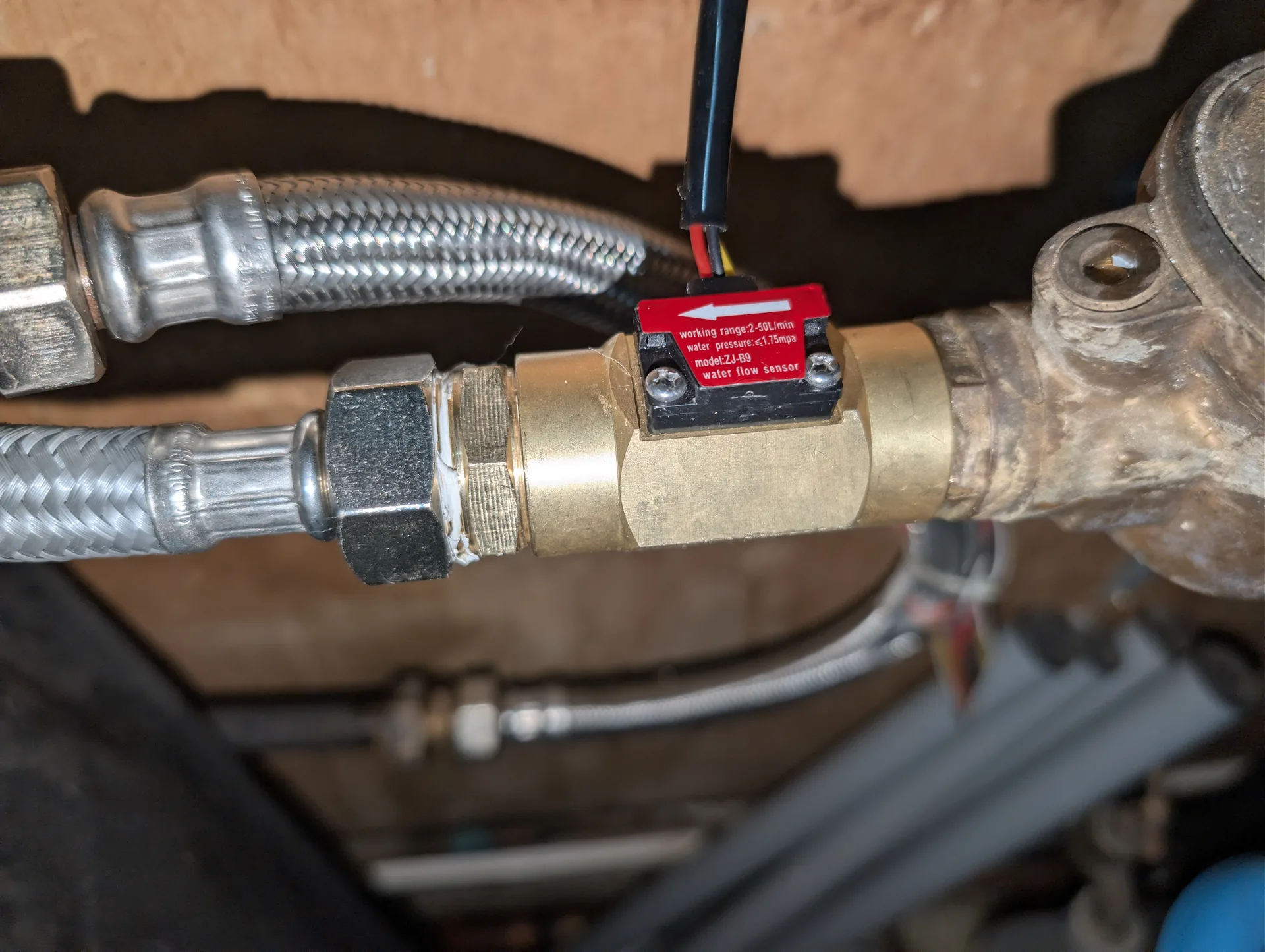
Measure my water use live with a single Hall-effect flow meter on the main inlet and an ESP32 running ESPHome.
Code: github.com/Shad107/ha-water-classifier
Background
Many French homes now have a smart water meter (=Birdz Téléo, m2ocity, Diehl, depending on the local operator). These meters do report consumption to the utility, but on the customer side all you get is a web portal with yesterday’s volume and a coarse hourly graph. There is no way to see, live, that a tap is dripping or that a toilet flush is stuck open.
So I wanted:
- A live reading of flow and volume, with daily, monthly and yearly totals
- Automatic leak detection
- Ideally, a per-use classification: how many flushes a day, how many showers, how much garden watering
Alternatives I looked at and dropped:
- Reed switch on the mechanical meter : imprecise, depends on a magnet that has to sit exactly right
- A water equivalent of the GRDF-ADICT gas API : no French water operator exposes such a consumer API, you are stuck with day-old data
- One flow meter per appliance : extra cost and, above all, plumbing work I was not going to do
- A commercial product like Aguardio : 200 €, proprietary, cloud required
The solution I kept is a single Hall-effect flow meter on the main inlet, plus software classification of the sessions. The tell-tale is that each appliance (=a 6 L toilet, a 60 L shower, a 60 L washing machine spread over several cycles) has a signature distinct enough for a simple rule set to do about 80 % of the job.
Hardware identification
The YF-B9
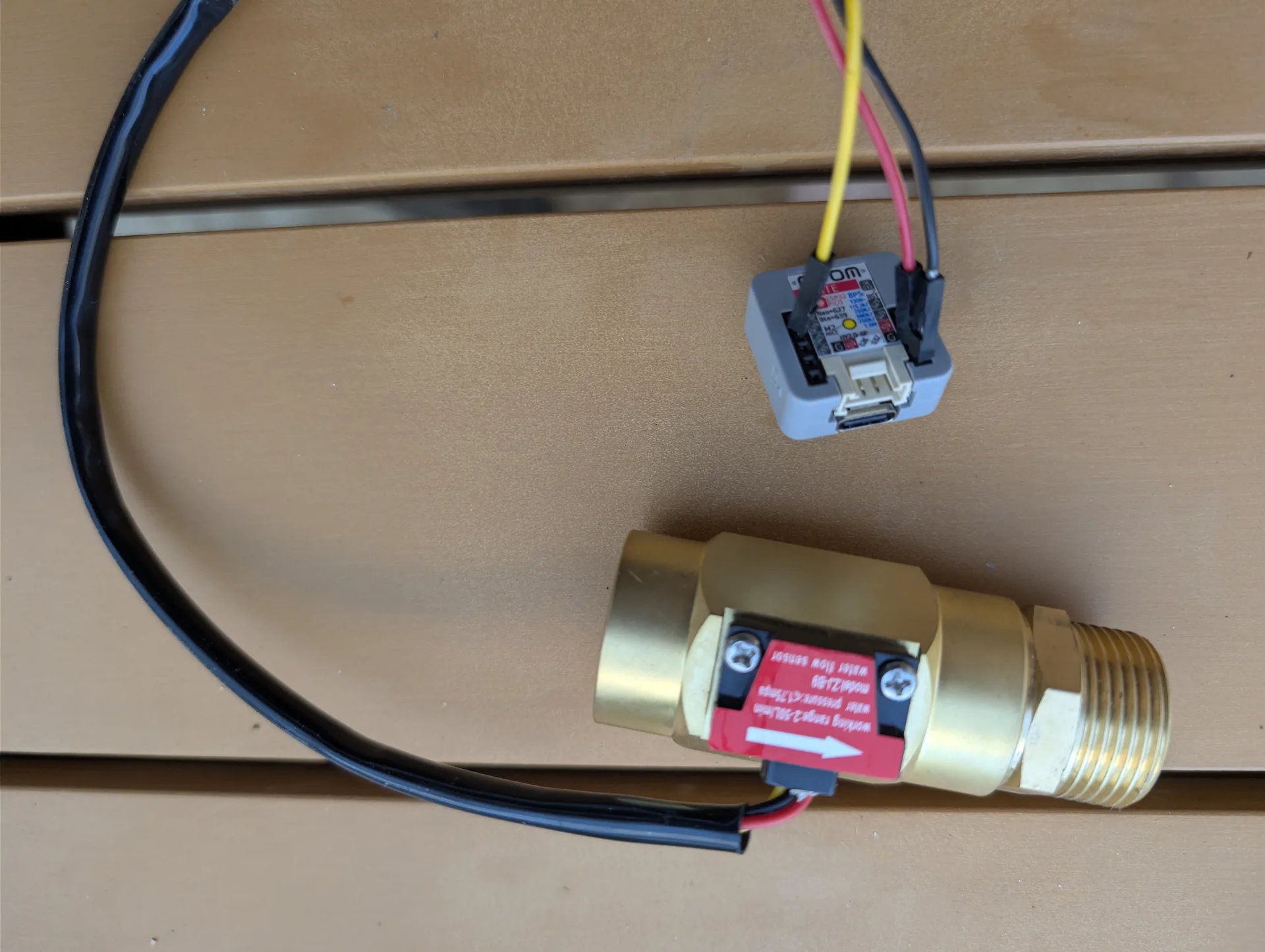
I compared the YF-B1 to B10 (=same family, same connector, different flow ranges and accuracy) and the B9 won for three reasons:
- Copper and stainless steel construction: drinking-water safe, corrosion-proof over the long run, no patina
- G3/4 female thread on both ends: the existing G3/4 male check valve at the meter outlet screws straight in, no adapter needed
- ±5 % accuracy, to be calibrated against a Geberit flush once installed
Datasheet resolution: one pulse every 1/476 of a litre. The impeller closes and opens a Hall sensor contact on every turn. You measure the pulse frequency to get the instantaneous flow, then integrate to get a cumulative volume.
The microcontroller
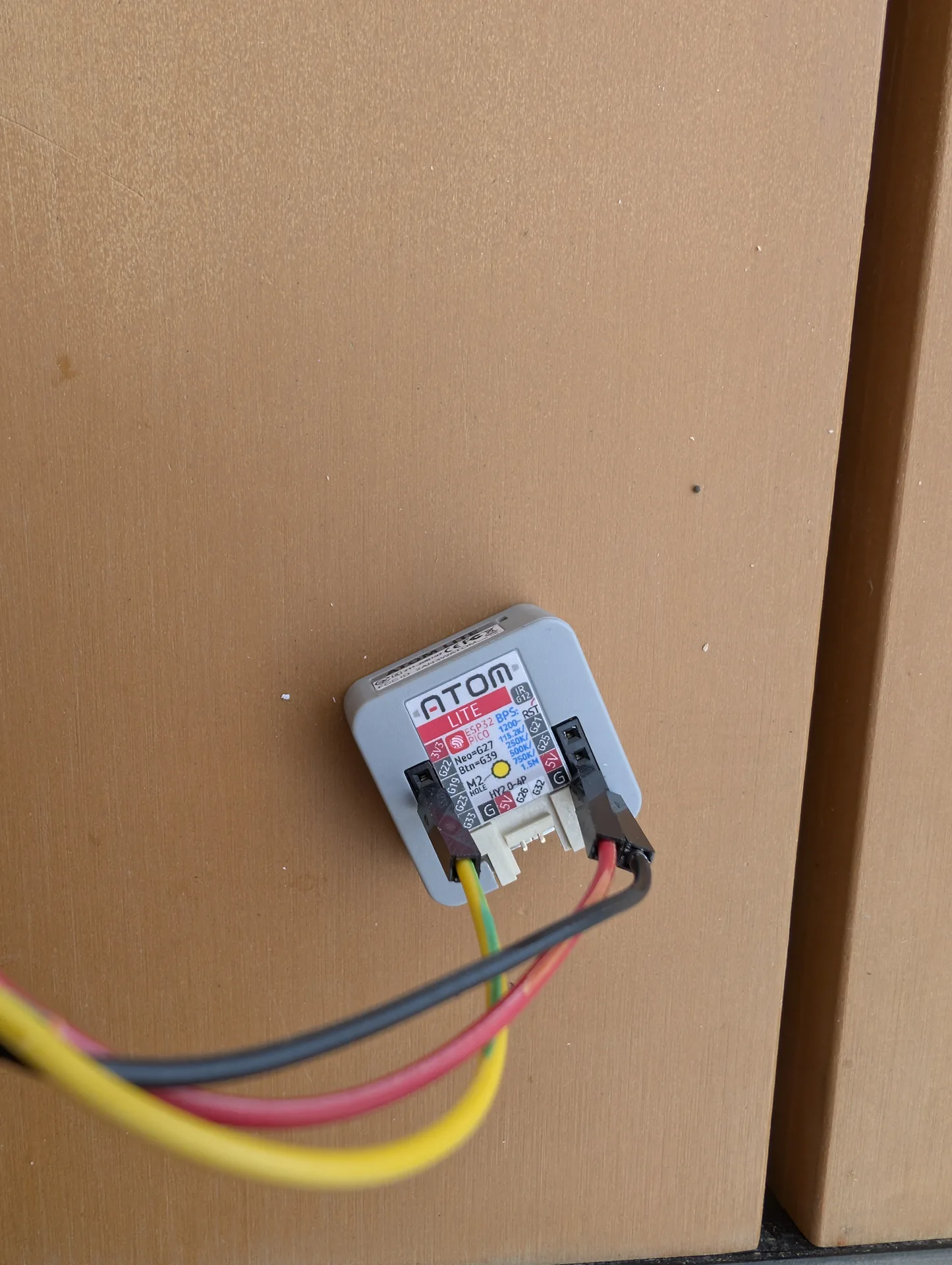
An M5Stack ATOM Lite built around the ESP32-PICO-D4. 24×24 mm, powered over 5 V USB-C, bottom pinout accessible. Under ESPHome it can use the hardware pulse counter (=the ESP32’s internal PCNT) without missing a pulse, even at 30 L/min.
Only three pins are used:
| ATOM pin | Function | YF-B9 wire |
|---|---|---|
| 5V (bottom right, 3rd) | Hall sensor supply | 🔴 red (VCC) |
| GND (bottom right, 4th) | Common | ⚫ black (GND) |
| G22 (bottom left, 2nd) | Hall pulse | 🟡 yellow (signal) |
The ESP32’s internal pull-up (=about 45 kΩ) is enough for the YF-B9’s open-collector output, no external resistor needed.
Programming the ESP32
Under ESPHome the configuration is short but dense. The goal is to expose from the ESP everything Home Assistant needs for display, classification and leak alerts, without relying on any computation on the HA side.
The YAML below is the file exactly as it runs at home, so the entity names are in French (=Débit eau is flow, Volume eau jour is daily volume, and so on). Rename them as you like, nothing depends on the names.
ESPHome skeleton
esphome:
  name: debitmetre-eau
  friendly_name: Débitmètre eau

esp32:
  board: m5stack-atom
  framework:
    type: esp-idf

logger:
  level: INFO

api:
  encryption:
    key: !secret debitmetre_api_key

ota:
  password: !secret debitmetre_ota_password

wifi:
  ssid: !secret wifi_ssid
  password: !secret wifi_password
Nothing exotic on the connectivity side: IoT VLAN Wi-Fi, encrypted HA API, OTA enabled so the ATOM never has to be unplugged again once installed.
YF-B9: 476 pulses/L on the datasheet, 338 in practice
The pulse counter, with live-adjustable calibration
number:
  - platform: template
    name: "Calibration factor"
    id: calibration_factor
    min_value: 0.001
    max_value: 0.01
    step: 0.00001
    initial_value: 0.002962
    optimistic: true
    restore_value: true
    mode: box

sensor:
  - platform: pulse_counter
    pin:
      number: GPIO22
      mode:
        input: true
        pullup: true
    name: "Débit eau"
    id: debit_eau
    unit_of_measurement: L/min
    accuracy_decimals: 2
    update_interval: 10s
    filters:
      - lambda: return x * id(calibration_factor).state;

  - platform: integration
    name: "Volume eau total"
    id: volume_total
    sensor: debit_eau
    time_unit: min
    unit_of_measurement: L
    accuracy_decimals: 3
    filters:
      - throttle: 10s
The calibration_factor is a template number editable from the Home Assistant UI. Theory says 0.00210 (=1/476), but my real calibration came out closer to 0.002962. The gap with the datasheet value comes from mains pressure and manufacturing tolerances of the meter body: every unit has its own factor, to be measured once installed.
The calibration method: rather than filling a well-graduated bucket (=impractical on a main inlet that is already connected), I use the Geberit mechanism of the toilet. The 3 L / 6 L dual flush of a Geberit Sigma or G500 cistern is a known, repeatable volume, drawn directly downstream of the meter. I note the delta of the total volume before and after each flush:
- Small flush (=3 L): note the delta, compute the correction factor
- Large flush (=6 L): same, which cross-checks with a different volume
- Average over several flushes to absorb the appliance’s own variability (=the cistern never refills exactly the same way; my three 6 L series read 5.6, 7.3 and 5.6 L raw before adjusting the factor)
Daily, monthly and yearly accumulators
globals:
  - id: volume_jour_accumulateur
    type: float
    restore_value: true
    initial_value: '0.0'
  - id: volume_mois_accumulateur
    type: float
    restore_value: true
    initial_value: '0.0'
  - id: volume_annee_accumulateur
    type: float
    restore_value: true
    initial_value: '0.0'
  - id: last_volume_total
    type: float
    restore_value: true
    initial_value: '0.0'

interval:
  - interval: 10s
    then:
      - lambda: |-
          float current = id(volume_total).state;
          if (!isnan(current)) {
            float diff;
            if (current >= id(last_volume_total)) {
              diff = current - id(last_volume_total);
            } else {
              // Reset détecté (=reboot ESP) → accumuler brut
              diff = current;
            }
            id(volume_jour_accumulateur) += diff;
            id(volume_mois_accumulateur) += diff;
            id(volume_annee_accumulateur) += diff;
            id(last_volume_total) = current;
          }

time:
  - platform: sntp
    on_time:
      - hours: 0
        minutes: 0
        seconds: 0
        then:
          - lambda: |-
              id(volume_jour_accumulateur) = 0;
              // Reset mensuel : premier du mois
              auto now = id(sntp_time).now();
              if (now.day_of_month == 1) {
                id(volume_mois_accumulateur) = 0;
                // Reset annuel : premier janvier
                if (now.month == 1) {
                  id(volume_annee_accumulateur) = 0;
                }
              }
    id: sntp_time
Subtle trap found in production: the platform: integration sensor restarts from zero on every ESP reboot, with no restore_value by default. As a result, after a reboot the accumulator lambda counted nothing until the volume climbed back above its pre-reboot value (=the current >= last_volume_total condition stayed false). The fix is the else branch above: a current < last is treated as a reset, and the raw value is accumulated instead of a negative difference.
The debug component (=essential)
sensor:
  - platform: uptime
    name: "Uptime"
    update_interval: 60s
  - platform: wifi_signal
    name: "WiFi RSSI"
    update_interval: 60s

text_sensor:
  - platform: template
    name: "Reset reason"
    lambda: |-
      auto reason = esp_reset_reason();
      switch(reason) {
        case ESP_RST_POWERON: return {"Power on"};
        case ESP_RST_EXT: return {"External"};
        case ESP_RST_SW: return {"Software"};
        case ESP_RST_PANIC: return {"Panic"};
        case ESP_RST_INT_WDT: return {"WDT interrupt"};
        case ESP_RST_TASK_WDT: return {"WDT task"};
        case ESP_RST_WDT: return {"WDT other"};
        case ESP_RST_BROWNOUT: return {"Brownout"};
        default: return {"Unknown"};
      }
    update_interval: never
The Reset reason reported at boot is essential to understand why the ESP rebooted. In production I had several Brownout events the first week because of an undersized Synclum power module; without that information I would have gone hunting for a software bug. It is the first component to add to any ESP32 in a fixed installation.
The full YAML to copy
Here is the ESPHome file as it runs at home, with personal values stripped. Drop it in ~/config/esphome/debitmetre-eau.yaml, define the matching !secret entries in secrets.yaml (=wifi_ssid, wifi_password, debitmetre_api_key) and flash.
# Board: M5Stack ATOM Lite

esphome:
  name: debitmetre-eau
  friendly_name: debitmetre-eau

esp32:
  variant: esp32
  flash_size: 4MB
  framework:
    type: esp-idf

logger:

api:
  encryption:
    key: !secret debitmetre_api_key

ota:
  - platform: esphome

wifi:
  ssid: !secret wifi_ssid
  password: !secret wifi_password
  ap:
    ssid: debitmetre-eau Fallback Hotspot
    password: "CHANGE_ME"

captive_portal:

# ==========================================
# DEBUG / TÉLÉMÉTRIE (=identification root cause crashes)
# ==========================================
debug:
  update_interval: 30s

text_sensor:
  - platform: debug
    device:
      name: "Device Info"
    reset_reason:
      name: "Reset Reason"

# ==========================================
# TIME (=source pour resets périodiques)
# ==========================================
time:
  - platform: homeassistant
    id: ha_time
    on_time:
      # Reset compteur jour : tous les jours à minuit
      # + check année si on est le jour/mois configuré dans HA
      - seconds: 0
        minutes: 0
        hours: 0
        then:
          - lambda: |-
              id(volume_jour_accumulateur) = 0.0;
              auto now = id(ha_time).now();
              int cur_day = now.day_of_month;
              int cur_month = now.month;
              int reset_d = (int)id(reset_annuel_jour).state;
              int reset_m = (int)id(reset_annuel_mois).state;
              if (cur_day == reset_d && cur_month == reset_m) {
                id(volume_annee_accumulateur) = 0.0;
              }
      # Reset compteur mois : le 1er de chaque mois à minuit
      - seconds: 0
        minutes: 0
        hours: 0
        days_of_month: 1
        then:
          - lambda: |-
              id(volume_mois_accumulateur) = 0.0;

# ==========================================
# GLOBALS (=compteurs persistants jour/mois/année)
# ==========================================
globals:
  - id: volume_jour_accumulateur
    type: float
    restore_value: true
    initial_value: '0.0'
  - id: volume_mois_accumulateur
    type: float
    restore_value: true
    initial_value: '0.0'
  - id: volume_annee_accumulateur
    type: float
    restore_value: true
    initial_value: '0.0'
  - id: last_volume_total
    type: float
    restore_value: true
    initial_value: '0.0'

# ==========================================
# NUMBER (=tarifs modifiables depuis HA)
# ==========================================
number:
  - platform: template
    name: "Prix eau potable"
    id: prix_eau_potable
    initial_value: 1.83
    min_value: 0
    max_value: 20
    step: 0.01
    unit_of_measurement: "€/m³"
    icon: mdi:water
    optimistic: true
    restore_value: true
    mode: box

  - platform: template
    name: "Prix assainissement"
    id: prix_assainissement
    initial_value: 2.10
    min_value: 0
    max_value: 20
    step: 0.01
    unit_of_measurement: "€/m³"
    icon: mdi:pipe
    optimistic: true
    restore_value: true
    mode: box

  - platform: template
    name: "Abonnement eau annuel"
    id: abonnement_annuel
    initial_value: 24.81
    min_value: 0
    max_value: 500
    step: 0.01
    unit_of_measurement: "€"
    icon: mdi:file-document-outline
    optimistic: true
    restore_value: true
    mode: box

  - platform: template
    name: "Reset annuel - jour"
    id: reset_annuel_jour
    initial_value: 1
    min_value: 1
    max_value: 31
    step: 1
    icon: mdi:calendar-refresh
    optimistic: true
    restore_value: true
    mode: box

  - platform: template
    name: "Reset annuel - mois"
    id: reset_annuel_mois
    initial_value: 5
    min_value: 1
    max_value: 12
    step: 1
    icon: mdi:calendar-refresh
    optimistic: true
    restore_value: true
    mode: box

  # Facteur calibration débitmètre (=ajustable sans recompiler)
  # Théorique YF-B9 = 0.00210 (=1/476 pulses/L), à ajuster sur une chasse Geberit 3L/6L
  - platform: template
    name: "Calibration facteur"
    id: calibration_factor
    initial_value: 0.003129
    min_value: 0.0001
    max_value: 0.01
    step: 0.000001
    unit_of_measurement: "L/pulse"
    icon: mdi:sine-wave
    optimistic: true
    restore_value: true
    mode: box

# ==========================================
# SENSORS
# ==========================================
sensor:
  # Télémétrie debug
  - platform: uptime
    name: "Uptime"
    id: uptime_sec
    unit_of_measurement: s
    update_interval: 30s
  - platform: debug
    free:
      name: "Heap Free"
    block:
      name: "Heap Max Block"
    loop_time:
      name: "Loop Time"

  # Débit instantané (=Hall pulse → L/min)
  - platform: pulse_counter
    pin:
      number: GPIO22
      mode:
        input: true
        pullup: true
    name: "Débit eau"
    id: debit_eau
    unit_of_measurement: L/min
    accuracy_decimals: 2
    update_interval: 10s
    filters:
      - lambda: return x * id(calibration_factor).state;

  # Volume total cumulé (=depuis toujours)
  - platform: integration
    name: "Volume eau total"
    id: volume_total
    sensor: debit_eau
    time_unit: min
    unit_of_measurement: L
    device_class: water
    state_class: total_increasing
    accuracy_decimals: 1

  # Volume jour / mois / année (=via globals reset)
  - platform: template
    name: "Volume eau jour"
    id: volume_jour_l
    unit_of_measurement: L
    device_class: water
    state_class: total_increasing
    accuracy_decimals: 1
    update_interval: 60s
    lambda: return id(volume_jour_accumulateur);
  - platform: template
    name: "Volume eau mois"
    id: volume_mois_l
    unit_of_measurement: L
    device_class: water
    state_class: total_increasing
    accuracy_decimals: 1
    update_interval: 60s
    lambda: return id(volume_mois_accumulateur);
  - platform: template
    name: "Volume eau année"
    id: volume_annee_l
    unit_of_measurement: L
    device_class: water
    state_class: total_increasing
    accuracy_decimals: 1
    update_interval: 60s
    lambda: return id(volume_annee_accumulateur);

  # Prix total au m³
  - platform: template
    name: "Prix eau total m³"
    unit_of_measurement: "€/m³"
    icon: mdi:cash
    update_interval: 30s
    lambda: |-
      return id(prix_eau_potable).state + id(prix_assainissement).state;

  # Coûts jour / mois / année
  - platform: template
    name: "Coût eau jour"
    unit_of_measurement: "€"
    icon: mdi:cash
    update_interval: 30s
    accuracy_decimals: 2
    lambda: |-
      float vol_m3 = id(volume_jour_l).state / 1000.0;
      float prix_var = id(prix_eau_potable).state + id(prix_assainissement).state;
      return vol_m3 * prix_var;
  - platform: template
    name: "Coût eau mois"
    unit_of_measurement: "€"
    icon: mdi:cash
    update_interval: 30s
    accuracy_decimals: 2
    lambda: |-
      float vol_m3 = id(volume_mois_l).state / 1000.0;
      float prix_var = id(prix_eau_potable).state + id(prix_assainissement).state;
      float abo_mois = id(abonnement_annuel).state / 12.0;
      return vol_m3 * prix_var + abo_mois;
  - platform: template
    name: "Coût eau année"
    unit_of_measurement: "€"
    icon: mdi:cash
    update_interval: 30s
    accuracy_decimals: 2
    lambda: |-
      float vol_m3 = id(volume_annee_l).state / 1000.0;
      float prix_var = id(prix_eau_potable).state + id(prix_assainissement).state;
      float abo = id(abonnement_annuel).state;
      auto now = id(ha_time).now();
      int cur_day = now.day_of_month;
      int cur_month = now.month;
      int cur_year = now.year;
      int reset_d = (int)id(reset_annuel_jour).state;
      int reset_m = (int)id(reset_annuel_mois).state;
      int ref_year = cur_year;
      if (cur_month < reset_m || (cur_month == reset_m && cur_day < reset_d)) {
        ref_year = cur_year - 1;
      }
      int days_elapsed = (cur_year - ref_year) * 365 + (cur_month - reset_m) * 30 + (cur_day - reset_d);
      if (days_elapsed < 0) days_elapsed = 0;
      if (days_elapsed > 365) days_elapsed = 365;
      float abo_prorata = abo * days_elapsed / 365.0;
      return vol_m3 * prix_var + abo_prorata;

  # Débit L/h (=plus lisible pour la maison)
  - platform: template
    name: "Débit eau L/h"
    unit_of_measurement: "L/h"
    icon: mdi:speedometer
    update_interval: 10s
    accuracy_decimals: 1
    lambda: return id(debit_eau).state * 60.0;

# ==========================================
# INTERVAL (=maj accumulateurs jour/mois/année)
# ==========================================
interval:
  - interval: 10s
    then:
      - lambda: |-
          float current = id(volume_total).state;
          if (!isnan(current)) {
            float diff;
            if (current >= id(last_volume_total)) {
              diff = current - id(last_volume_total);
            } else {
              // Reset détecté (=reboot ESP) : integration repart de 0
              diff = current;
            }
            id(volume_jour_accumulateur) += diff;
            id(volume_mois_accumulateur) += diff;
            id(volume_annee_accumulateur) += diff;
            id(last_volume_total) = current;
          }
Flashing the ATOM Lite
Three steps, no special preparation:
- USB-C cable between the ATOM Lite and the PC (=the USB-C port is on the back of the ATOM, under the case)
- Open web.esphome.io (=Chrome or Edge, Firefox does not have Web Serial yet), click Connect and pick the
USB Serialport that shows up - Prepare for first use, then load the YAML above. The first flash takes about 90 seconds; the following ones go over Wi-Fi OTA (=a few seconds)
Once the module is on Wi-Fi it announces itself to Home Assistant, which offers “New ESPHome device found, configure?” under integrations. Later YAML changes are made from the ESPHome add-on in HA, without ever plugging the cable back in.
Checking the serial logs
Once the flash is done, open the ESP’s Diagnostics page in the ESPHome add-on and check that the hardware pulse counter reports consistent pulses.
Turning the YF-B9 impeller by hand with a stylus (=before connecting the water), you should see lines like:
[D][pulse_counter:200]: 'Débit eau': Retrieved counter: 3.00 pulses/min
[S][sensor]: 'Débit eau' >> 0.00 L/min
[S][sensor]: 'Volume eau total' >> 0.0 L
With the water on and a tap open downstream, a clear flow must appear within 10 seconds. The tell-tale is Retrieved counter climbing to several thousand pulses per minute (=at 15 L/min, about 7000 pulses/min).
The install
Assembly order on the main inlet, right after the check valve on the house side:
[smart water meter]
        │
        ▼
[existing G3/4 M check valve]
        │ screws straight in, no adapter
        ▼
[YF-B9 G3/4 F-F, upstream side]
        │
        ▼
[new G3/4 M-M brass nipple]
        │ G3/4 F nut
        ▼
[existing stainless flex hose]
        → [existing G1/2 M copper → house circuit]
Two joints to tighten, PTFE tape on the threads, water shut at the red valve above. Half an hour at most.
Classic trap: point the arrow on the YF-B9 in the direction of flow (=towards the house). It is engraved on the body but hard to read. Mounting it backwards breaks nothing, but the readings become meaningless: the impeller spins the other way and the count is inconsistent.
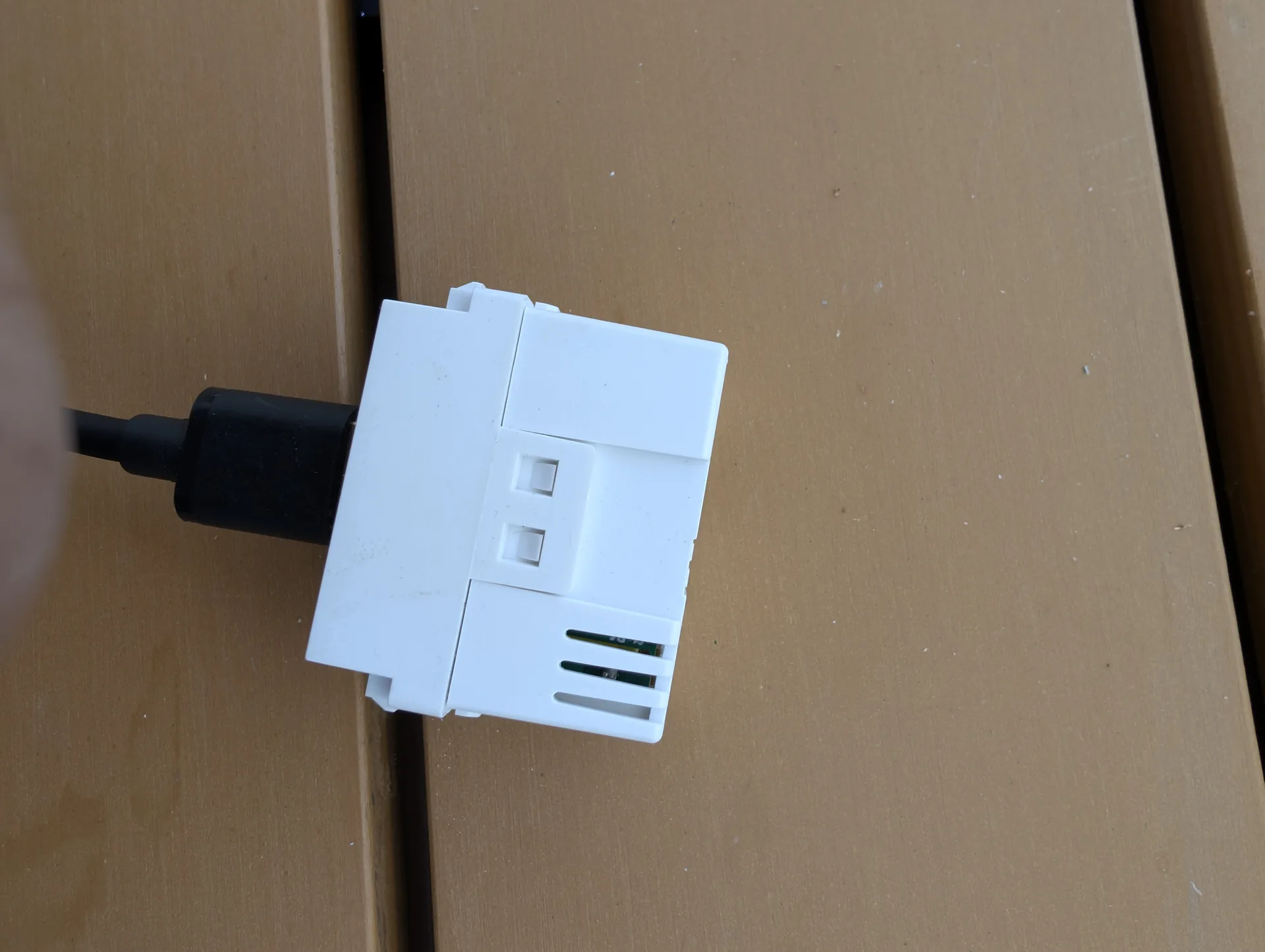
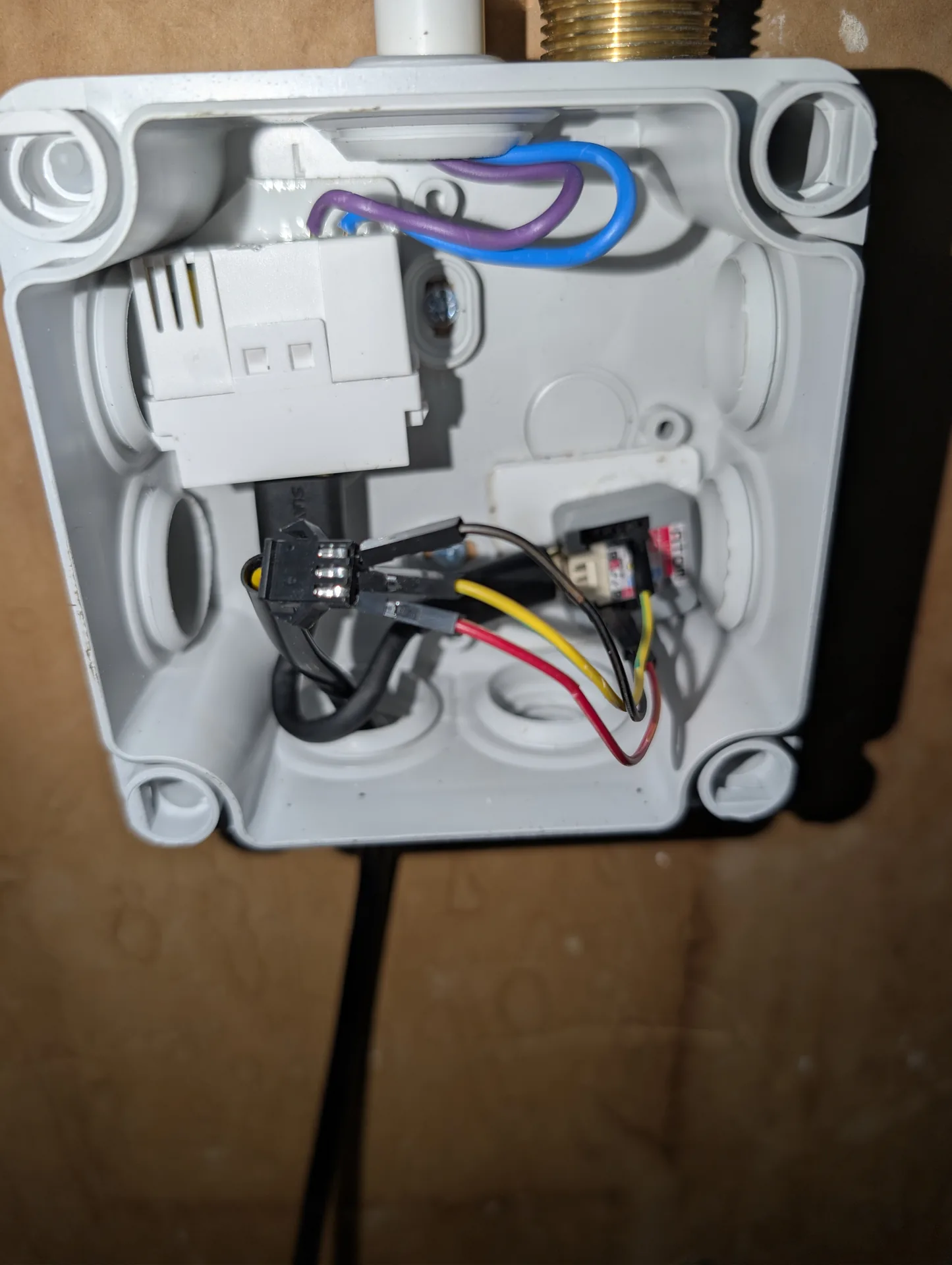
On the electronics side, the Plexo IP55 box sits about 1 m away from the meter. Inside, once closed:
- USB power supply, 230 V to 5 V, clipped on a screw terminal (=live and neutral, no earth needed for the small module)
- ATOM Lite held with 3M VHB double-sided tape
- 3 Dupont wires from the YF-B9 to the ATOM (=colours matched)
- A cable gland for the Hall sensor cable
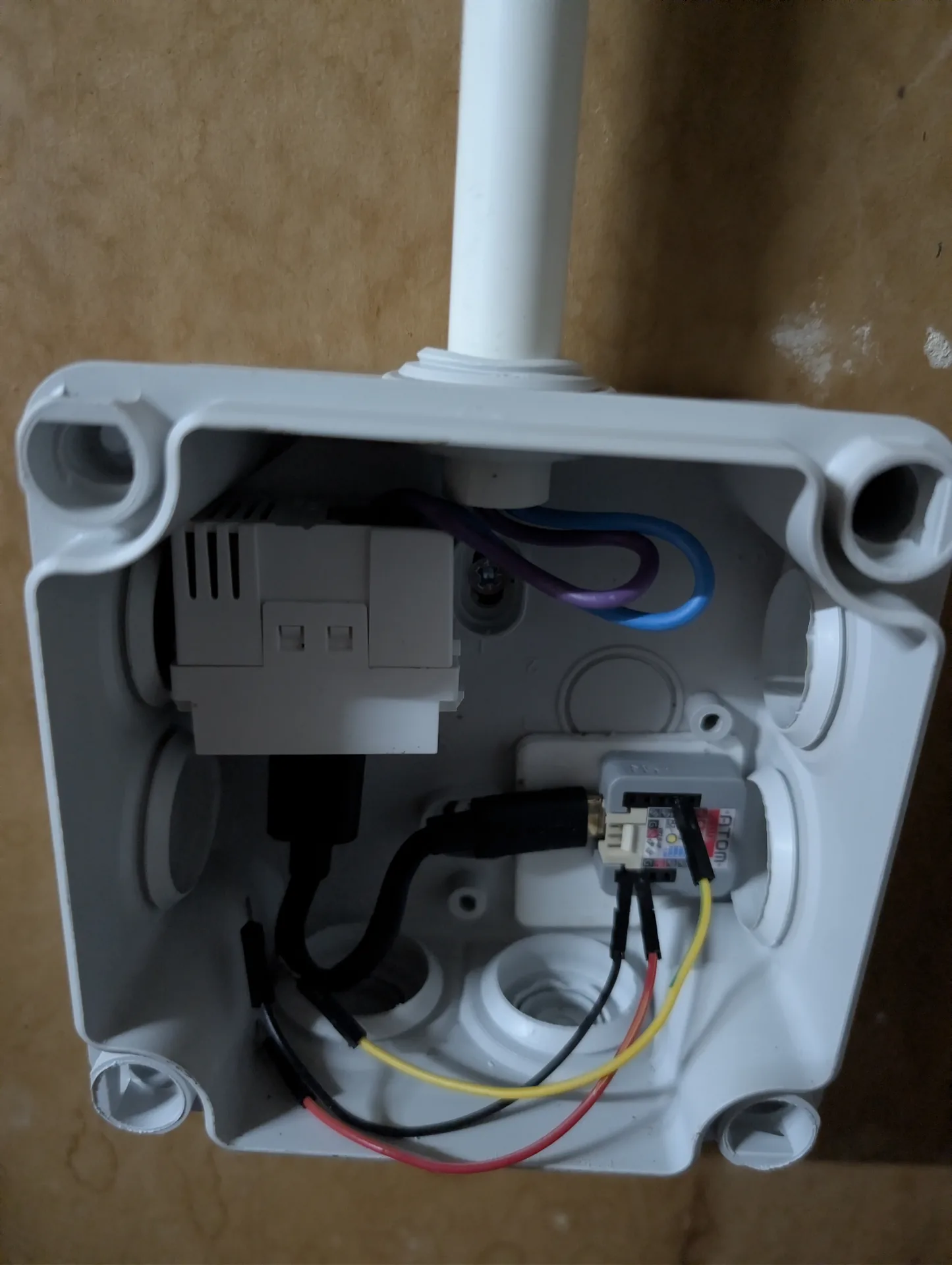
Overview once the box is on the garage wall, just under the main inlet:
Home Assistant integration
Three software layers stack up, each one installable on its own:
1. The raw ESPHome sensor
The ATOM Lite announces itself over Wi-Fi on the IoT VLAN and is adopted by Home Assistant. Every exposed sensor (=flow, total volume, daily/monthly/yearly volume, daily/monthly/yearly cost, price per m³, uptime, reset reason) shows up with its name.
2. Water-Monitor: session detection
Water-Monitor is a HACS integration (=markaggar/Water-Monitor) that takes the flow sensor as input and detects automatically the start and end of each “session” of use: one continuous consumption event, with some tolerance for short pauses (=someone soaping up for 15 s in the middle of a shower, for instance).
For each session it exposes:
- Total volume (L)
- Duration (s)
- Average flow (L/min)
- Peak flow
These are the input features of the classification. Without Water-Monitor you would only have a raw flow and a cumulative volume, no split into discrete events.
3. Water Pattern Classifier (=the custom component presented here)
Installation: the GitHub repository Shad107/ha-water-classifier is HACS-ready. In Home Assistant:
- HACS → ⋮ menu → Custom repositories → paste the repository URL, category “Integration” → Add
- HACS → search “Water Pattern Classifier” → Download
- Restart Home Assistant
- Settings → Devices and services → Add integration → “Water Pattern Classifier”
Once configured, a water-classifier-card Lovelace card is registered automatically: it shows at a glance the last detected session plus the daily counters per appliance, colour-coded.
This is the project I wrote during the week of 1 August 2026, released as open source at github.com/Shad107/ha-water-classifier under the MIT licence.
The principle is a rule-based cascade classifier:
1. Long duration + large volume → Washing machine
2. Long duration + small volume → Dishwasher
3. Volume > 100 L + medium duration → Bath
4. Sustained high flow + morning/evening hour → Garden watering
5. Medium duration + medium volume + moderate flow → Shower
6. Volume 4-9 L + duration < 2 min + high peak → Toilet
7. Volume < 3 L + short duration → Tap/Sink
8. Fallback → Other
The thresholds come from academic work: WEUSEDTO (=Naples 2019-2020, 7 appliances monitored at 1 second resolution) and REUWS (=DeOreo 2016, Residential End Uses of Water Study, United States). A PyNIWM fork published on ScienceDirect in October 2024 documents ML classifiers reaching F1 > 0.85 on 800,000 labelled events. My rule-based version does not claim to compete, but it covers about 80 % of the cases that can be told apart at my sensor’s resolution (=10 L/pulse, 10 s sampling).
The custom component exposes:
- A
sensor.last_session_typesensor giving the type of the last detected session - A UI config flow to pick the 4 source sensors (=live flow plus three Water-Monitor sensors)
- A custom Lovelace card in TypeScript / lit-element, bundled with Rollup
The card shows at a glance the type of the last session (=a badge coloured per appliance), its metrics (=volume/duration/flow), and a grid of 8 daily counters with the most used appliance of the day highlighted.
Result on the Water dashboard
Photo/screenshot to add: the Water tab of the HA dashboard with the water-classifier card active.
The Water tab of the HA Overview dashboard gathers:
- A live flow gauge plus the volume of the current session
- Daily, monthly and yearly consumption and the matching costs
- The Water-Monitor sensors (=session volume/duration/average flow)
- The water-classifier custom card (=type plus coloured counters)
- A 24 h flow history graph
- A 30-day daily volume histogram
- The session logbook
What’s next
Three planned evolutions, in order:
v0.3 : Proper machine learning. Move from the static rule set to a RandomForest or XGBoost model trained on my own hand-labelled sessions. After 2 to 4 weeks of use I will have enough data to bootstrap. The WEUSEDTO fork provides a public labelled dataset that can serve for pre-training.
A dedicated LXC for the classifier. Take the Python module out of Home Assistant and run it in a separate Debian 12 LXC (=consistent with the pattern of LXC 105 CI runner, LXC 112 FreeRADIUS, LXC 113 AdGuard). MQTT API, containerised, easier to evolve without disturbing HA.
Time pattern detection. Detect habits (=average shower time per household member from the time of day), and raise alerts on drifts (=shower longer than 10 min, a leaking toilet flush showing as several short sessions close together).
Sources and references
- WEUSEDTO, Water End USE Dataset and TOols (=Naples, GPL v3)
- PyNIWM paper on ScienceDirect (Oct 2024)
- markaggar/Water-Monitor on GitHub
- Shad107/ha-water-classifier on GitHub : the custom component presented here
- REUWS 2016, Residential End Uses of Water Study (DeOreo)
Parts
-
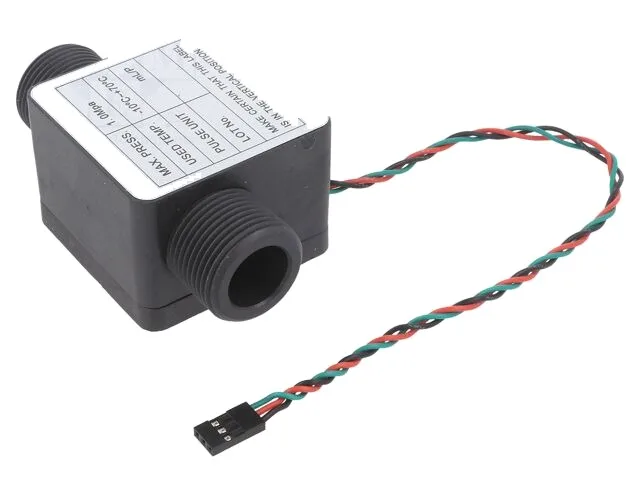
DFRobot Gravity electromagnetic water flow sensor, G3/4 thread, 0.5 to 50 L/min, NPN pulse output, ±1% accuracy. To meter the water on a main inlet with an ESP32 under ESPHome.
- ◨
Hall-effect sensor, stainless steel and brass body, 3/4 inch female-female thread. Range 1 to 30 L/min. 476 pulses/L per the datasheet. 3.5 to 24 V DC. Pick the "YF-B9" variant on the AliExpress listings that bundle B1 to B10.
-
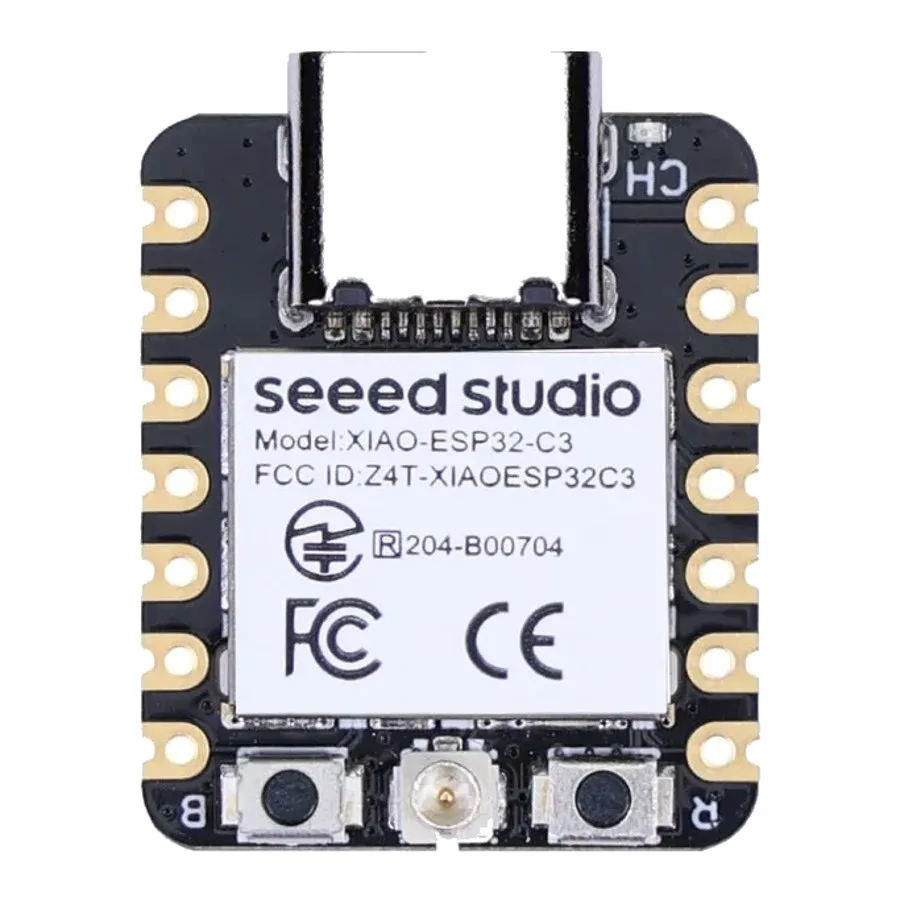 Seeed XIAO ESP32-C3 board 15.90 EUR
Development board the size of a stamp: RISC-V ESP32-C3, Wi-Fi and Bluetooth 5, external antenna connector. The cheapest of the XIAO range.
- ◨Brass nipple G3/4 M-M ~3 € each
To join the YF-B9 (F) to the existing stainless flex hose (F) after the check valve. Drinking-water rated, 25.7 mm hex brass.
Amazon (pack of 3, OMZSXK) - ◨Legrand Plexo 92042 IP55 enclosure ~17 €
Screw-on PVC box, 155×110×74 mm, with cable gland entries. Keeps the garage's damp and dust out.
Leroy Merlin / Amazon - ◨Flush-mount 230 V to USB 5 V 2.1 A module ~4 € each
Compact power supply to feed the box from a permanent 230 V line. Standard USB-A female output.
AliExpress (pack of 3) - ◨Female-female Dupont wires + heat-shrink ~2 €
To connect the three YF-B9 wires (VCC/GND/pulse) to the bottom pins of the ATOM Lite without soldering. Heat-shrink for tidiness.
from stock
Prices as observed at the time of the project. No affiliate links, I earn nothing.